.png)
Authored by: Support.com Tech Pro Team
This guide proides you with instructions on How to Update NVIDIA Drivers.
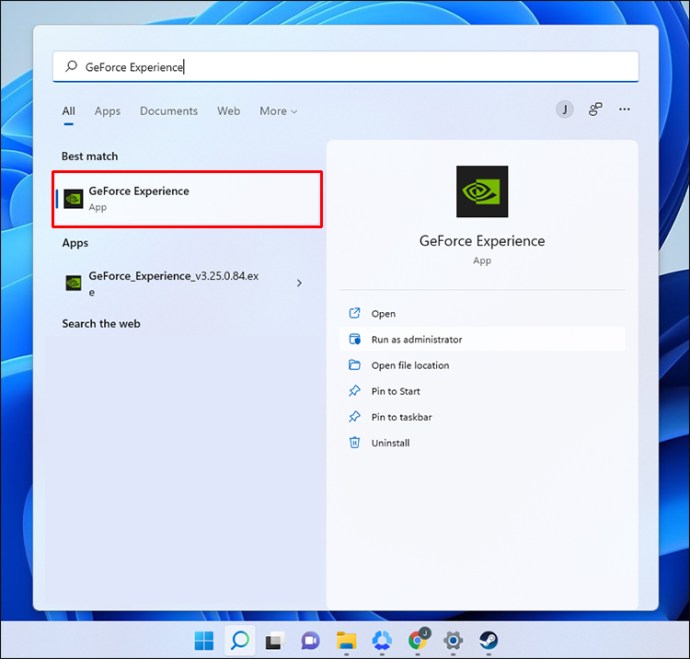
1. The customer first needs to launch NVIDIA GeForce Experience application by typing GeForce Experience in the search bar and clicking on the top result.
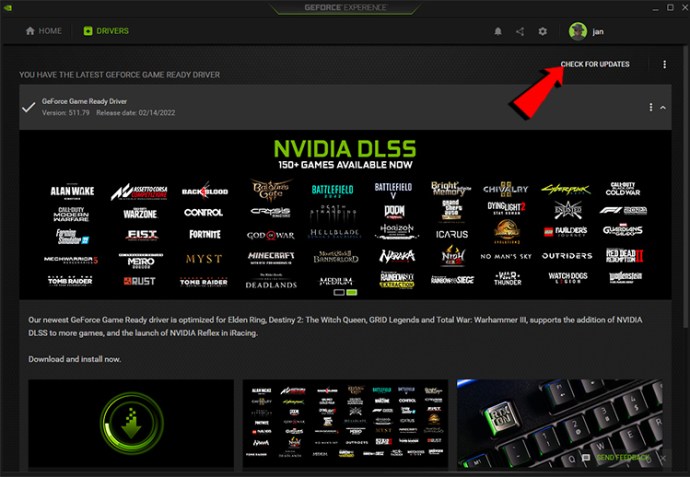
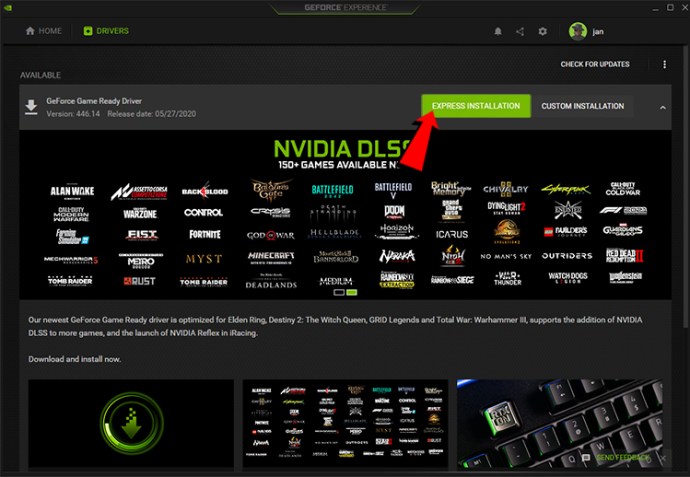
2. And click on Check For Updates.
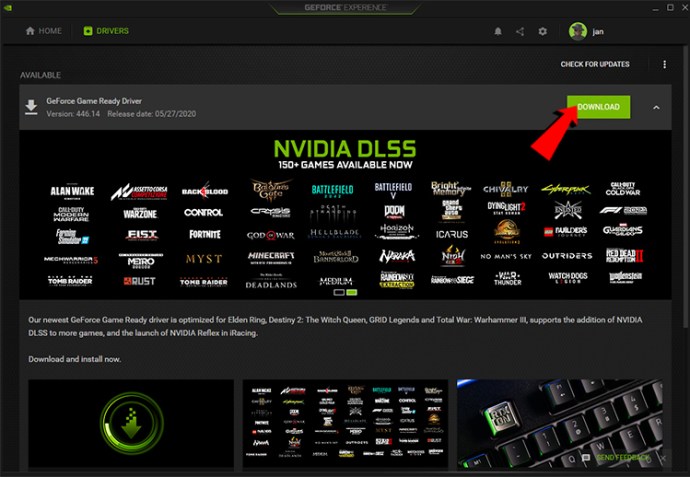
3. They need to download the latest driver.
4. And Install the driver by clicking either Express Installation or Custom Installation.

Support.com is committed to your privacy
We do not share or sell your data to third parties. We do use cookies and other third-party technologies to improve our site and services. The California Consumer Privacy Act (CCPA) gives you the ability to opt out of the use of cookies, third-party technologies and/or the future sale of your data. Do not sell my personal information.

Support.com is committed to your privacy
Read our Privacy Policy for a clear explanation of how we collect, use, disclose and store your information
